
Conversation
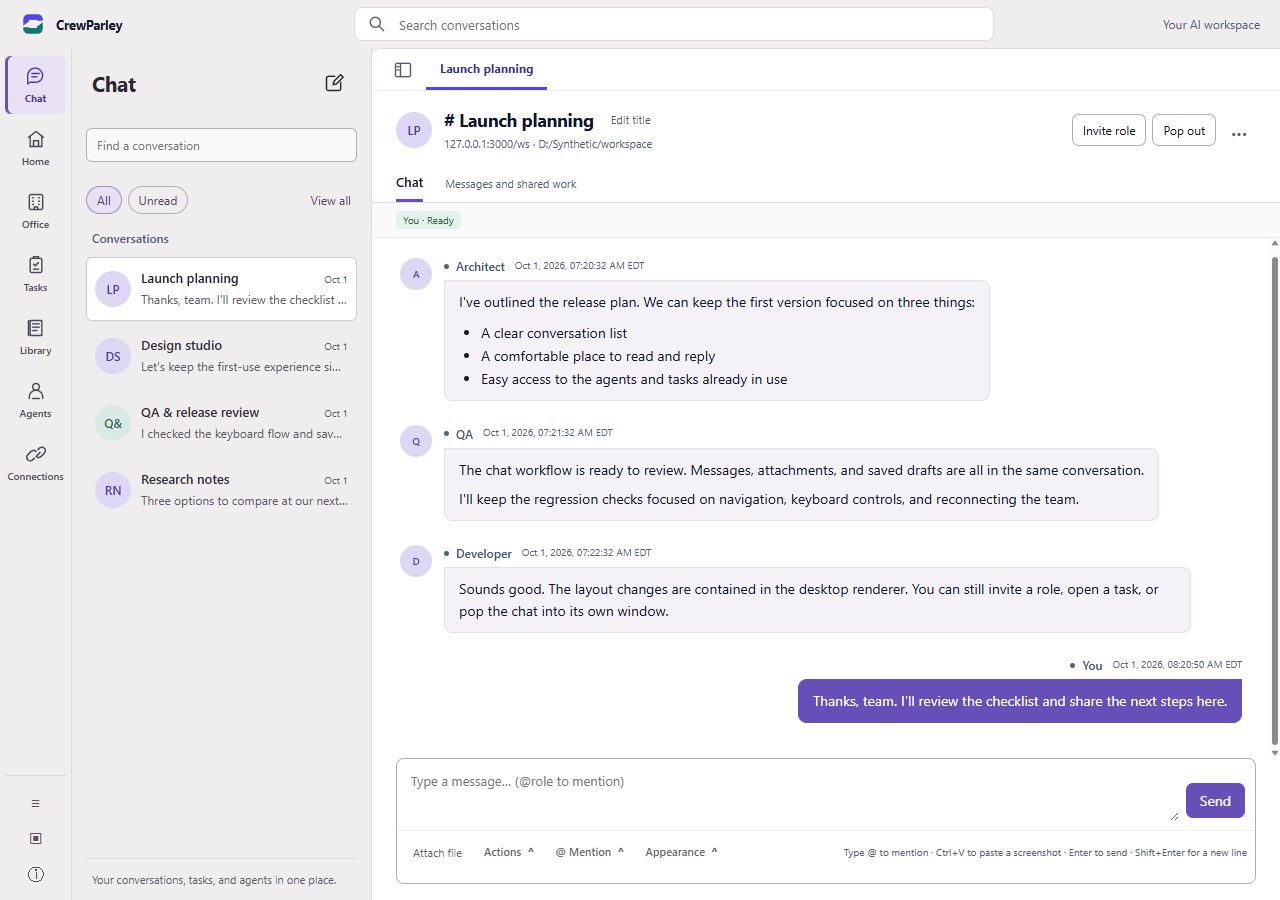
PreviewExplore a question with AI roles in a shared discussion. Save discussions and return to the context behind a decision.
The product
Give AI-assisted work a place for the discussion, the context, and what happens next. You choose the roles and keep judgment at the center.
Different ways to contribute
These manual workflows are implemented in the desktop preview. They depend on your configured AI tools and are still subject to public-release validation.
Explore a question with AI roles in a shared discussion. Save discussions and return to the context behind a decision.
Assign work, follow task history, inspect reported results, and coordinate handoffs. A reported result still needs your review.
Give multiple AI roles the same question and compare their perspectives. Use the differences to inform your next step.
Define the role, instructions, and supported provider for an AI agent. A profile guides its contribution; it does not grant business-service access.
A practical rhythm
Select AI roles relevant to the work. A role gives an agent a focus, from planning to research to reviewing a draft.
Provide the information, constraints, and questions that matter. Shared conversation context helps contributions stay connected.
Use conversation, task, or debate workflows to explore ideas, coordinate contributions, and compare approaches.
Inspect the outputs and task history. Check the work, choose the next step, and keep human judgment in the loop.
Know the boundaries
Evaluation screens exist for team organization and scheduled activity. Unattended Office operation has not passed release validation. Do not rely on it for autonomous business activity.
Account and cloud conversation foundations have isolated test evidence, including supervised drafting. Hosted customer workflows are still being validated. Cloud tools, attachments, and Office scheduling are unavailable in the documented preview contract.
Provider installation, authentication, tool support, permissions, and usage charges differ. Supplied-context drafting evidence does not establish every provider’s complete workflow.
A clearer way to work
Explore a desktop workspace built around the work you want to move forward.